How to Choose the Best UPS Backup for Your Business?
Choosing the best ups backup for your business begins with understanding what failure would cost.
A brief voltage dip can freeze point-of-sale terminals, corrupt files, or stop production equipment. A longer outage can damage customer trust and interrupt revenue for hours. The right system must protect more than servers. It should support networking devices, storage systems, security equipment, and essential office operations.
Neil Rasmussen, founder of American Power Conversion and a respected data-center infrastructure expert, has often emphasized: “The best UPS is the one properly sized for the load and the environment.” That principle remains practical. A small office may need a line-interactive UPS with several minutes of runtime. A medical clinic, warehouse, or data room may require an online double-conversion model, external battery cabinets, and generator coordination.
Do not choose by battery capacity alone.
Check the real wattage of connected equipment. Measure peak demand, not only the average. Consider runtime, transfer time, waveform quality, monitoring software, bypass capability, and battery replacement costs. A ten-minute runtime may be enough for an orderly shutdown. It may not protect a critical process.
Installation details matter too. Heat shortens battery life. Dust blocks airflow. Poor maintenance quietly reduces protection. That part is easy to overlook.
There is no perfect UPS backup for every company. Budget, risk tolerance, expansion plans, and facility conditions all change the answer. Even experienced buyers can misjudge future demand. A careful evaluation, supported by load testing and professional advice, creates a more reliable decision.
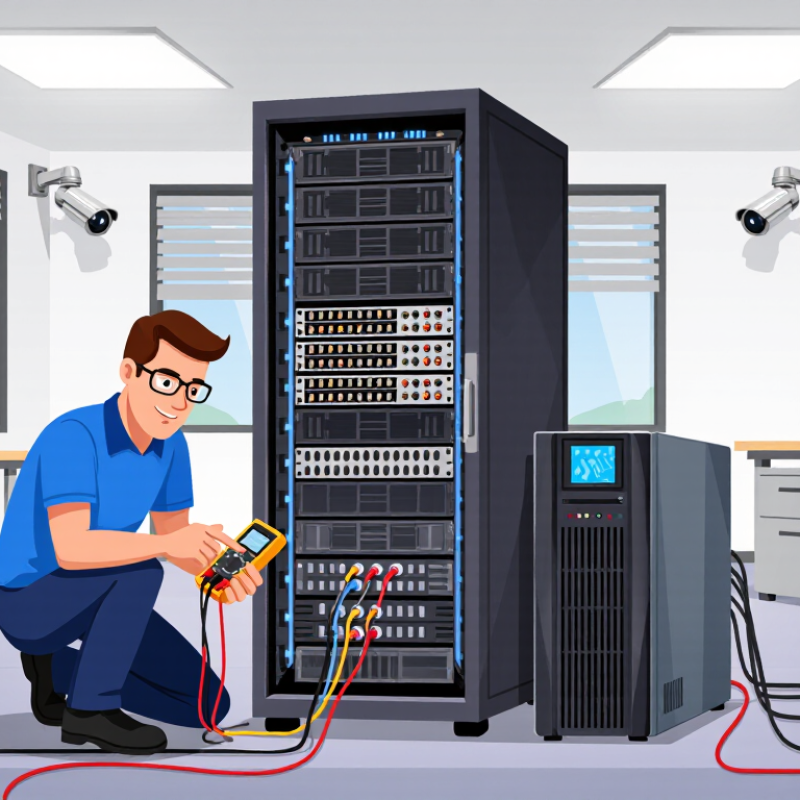
Define Your Business’s Power Protection Requirements
Define what must stay online during an outage, not what would be convenient. Walk through the office or equipment room and record each critical device, its measured wattage, and its role. Include servers, network switches, storage, security systems, and essential workstations. Small loads add up. Separate must-run equipment from devices that can shut down safely.
Set a realistic runtime target for each group. A few minutes may allow orderly server shutdown, while longer outages may require continued operations or another power source. Check equipment labels and actual power readings; watts and volt-amps are not interchangeable. Account for startup surges, the UPS’s rated output, and the load’s power factor. Ask a qualified technician to verify uncertain or high-impact measurements.
Plan for change, too. A setup sized exactly for today’s load can become strained after a server or network upgrade. Leave appropriate capacity, and confirm that the UPS can communicate with systems that need automatic shutdown. Heat, limited ventilation, and battery age can also reduce performance. These details are easy to overlook. Review your assumptions each year; some of them will probably be wrong.
Compare UPS Types and Backup Technologies
A business UPS should match the equipment it protects, not just its price or advertised runtime. Standby models switch to battery when utility power fails, making them suitable for basic office computers and low-risk devices. That transfer can cause a brief interruption. Line-interactive units use voltage regulation to manage common dips and surges without switching to battery as often. They can suit small offices with variable power, though they may not provide the same level of conditioning as online systems.
Online, or double-conversion, UPS units continuously convert incoming power before supplying it to connected equipment. This design helps protect sensitive servers, networking equipment, and systems that cannot tolerate transfer delays. It usually costs more and may produce more heat. Check the room’s ventilation and the UPS’s rated capacity, not just its model category. Load matters.
Battery technology also shapes maintenance and runtime. Lead-acid batteries are familiar and often less expensive upfront, but typically need periodic replacement. Lithium-based batteries can offer longer service life and lower weight, though initial costs may be higher. Estimate runtime using the actual connected load; a UPS powering a lightly loaded switch may last far longer than one supporting servers and storage. Test it. A scheduled test can reveal weak batteries, overloaded outlets, or an unrealistic shutdown plan. Real installations are rarely as tidy as the spreadsheet suggests.
How to Choose the Best UPS Backup for Your Business?
Compare common UPS topologies by typical transfer time and efficiency at full load. Lower transfer time improves protection for sensitive equipment, while higher efficiency generally reduces operating costs and heat.
Values are representative industry ranges: standby UPS units commonly transfer in about 5–10 ms, line-interactive models in about 2–4 ms, and online double-conversion systems provide zero transfer time. Actual performance varies by model and load.
Evaluate Efficiency, Reliability, and Management Features
How to Choose the Best UPS Backup for Your Business?
Evaluate Efficiency, Reliability, and Management Features
When selecting a UPS backup, measure efficiency under your real operating load. A unit rated for 10 kVA may perform poorly at 15% capacity. Review efficiency curves, standby losses, and battery charging behavior. These details affect monthly energy costs and room temperature. A cooler system usually places less strain on nearby equipment.
Reliability requires more than a long warranty. Check transfer time, surge protection, battery replacement access, and tolerance for voltage changes. Ask for test records and maintenance procedures. In a server room, a failed battery can turn a minor outage into expensive downtime. I once saw a backup system pass its startup test but fail during a full load simulation. The lesson was uncomfortable: basic checks are not enough.
Management features deserve equal attention. Choose systems that provide clear alarms, remote monitoring, event logs, and scheduled self-tests. Notification settings should reach the right technician, not everyone in the office. Integration with existing network tools can reduce response time. However, more software does not always mean better control. Complex dashboards may hide urgent warnings. Test the interface during a planned drill, and record how quickly staff can identify the fault. A practical review should include load measurements, battery age, room conditions, and likely growth. Assumptions can be wrong. Recheck them.
Select the Best UPS Based on Cost and Total Value
How to Choose the Best UPS Backup for Your Business?
A low purchase price can look attractive, but it rarely tells the whole story. Compare the total cost over the UPS’s expected service life, including installation, energy use, battery replacement, and maintenance. A unit that costs more upfront may use less power or need fewer service visits. That matters.
Start with the equipment the UPS must protect. Record its power demand, then allow headroom for brief load increases and future additions. Estimate how long essential systems need to run during an outage; protecting a network switch and orderly shutdown may require less capacity than keeping servers online. Check that the stated runtime matches your actual load, not just a best-case specification. Not always.
Consider what downtime would cost your business. A few extra minutes may protect transactions, prevent corrupted files, or give staff time to shut systems down safely. Also review battery availability, replacement procedures, warranty terms, and local service support. These details can be easy to overlook when comparing quotes. Ask vendors to explain their assumptions, including load, runtime, and expected battery life. If those estimates feel too neat, request a more conservative scenario before deciding.
How to Choose the Best UPS Backup for Your Business? — Select the Best UPS Based on Cost and Total Value
| Business Use Case |
Typical Load |
Suggested UPS Capacity |
Topology to Consider |
Approximate Runtime at Rated Load |
Relative Upfront Cost |
Total-Value Considerations |
| Small office network |
Router, switch, and modem; about 150–300 W |
750–1,000 VA |
Line-interactive |
Often about 5–15 minutes; varies by battery and load |
Low |
Protects connectivity and allows time for a controlled shutdown. Check outlet types, replaceable-battery options, and warranty terms. |
| Workstations and point-of-sale equipment |
One to three computers and peripherals; about 300–600 W |
1,000–1,500 VA |
Line-interactive |
Often about 5–15 minutes; varies by battery and load |
Low to moderate |
Useful where brief outages and voltage fluctuations are common. Include monitor and peripheral loads when sizing. |
| Small server or network rack |
Servers, storage, and network devices; about 600–1,200 W |
1,500–2,200 VA |
Line-interactive or online double-conversion |
Often about 5–10 minutes at heavier loads; confirm using the runtime chart |
Moderate |
Consider pure sine-wave output, network monitoring, automatic shutdown software, and the cost of a server outage. |
| Critical IT or sensitive equipment |
High-density or sensitive loads; about 1,000–3,000 W |
2,000–5,000 VA, subject to load and power factor |
Online double-conversion |
Typically several minutes at high load; external battery modules can extend runtime |
High |
Provides continuous power conditioning and avoids transfer time. Assess efficiency, serviceability, monitoring, and battery replacement costs. |
| Longer backup for essential operations |
Selected critical loads; runtime depends on the connected equipment |
Size from measured watts and required runtime |
UPS with compatible external battery modules |
Designed around the required runtime; verify against manufacturer runtime data |
Moderate to high |
More battery capacity increases cost, space, and maintenance needs. A generator may be more cost-effective for extended outages. |
Selection note: VA ratings alone do not determine usable capacity. Compare the UPS watt rating with the actual measured load, leave capacity headroom, and use the model-specific runtime chart. Runtime figures above are broad planning estimates, not guaranteed performance; battery age, temperature, load, and configuration affect results. Include battery replacement, energy use, monitoring, warranty, and downtime risk when comparing total cost of ownership.